You are a contractor. Not a secretary.
For remodel and repair work. Talk through the job standing in it — or on the drive home — and get back a priced, branded proposal your customer signs on their phone, plus an invoice you can send the moment they do.
VoiceQuote has a home of its own — the app and the full story live at voicequote.co.
The quote is the part of the job nobody pays you for. You measured it at four, you are writing it up at nine, and the customer who was ready to say yes on Tuesday has three other numbers by Friday.
VoiceQuote takes the twenty minutes you spend at a laptop and turns it into the two minutes you already spend talking. The quote goes out while they still remember you standing in their yard.
Built for the walk-through, not the drawing.
If you price the job by looking at it and talking about it, this was built for you.
This is your tool
- Remodelers — kitchens, baths, basements, additions
- Repair and replacement work of any trade
- Plumbing, electrical and HVAC service calls
- Decks, fencing, concrete, masonry, siding, roofs
- Handymen and small general contractors
- Restoration and insurance work
What these have in common: the price comes out of what you found when you got there. Nobody hands you a spreadsheet of it.
Buy something else if…
- Your jobs arrive as plan sets. Pricing a new build off architectural drawings is takeoff work — measuring quantities off sheets. Estimating software does that properly and this does not.
- You quote by area, sight unseen. Pressure washing, lawn care and similar work price off square footage you can measure from a map. Talking through it is the slower way.
- You need scheduling, dispatch and invoicing in one system. That is a platform, and this is one tool. See how it compares.
Four steps, none of them at a desk
Talk it out
Record a voice note walking the job, or the whole conversation with the customer. Add photos, a supplier PDF, an email thread — whatever you have.
The quote writes itself
It reads everything, works out the scope, and prices the line items against your own rate book. You get a draft to check and change before anyone sees it.
The client signs on their phone
They get a branded proposal, tap Approve, and sign with their finger. You get a text and an email the moment they do. Both of you get the signed PDF.
Send the bill
Turn the signed quote into a deposit invoice on the payment schedule you set, and send it. Every quote shows where it stands and what is still owed.
Two plans, one ceiling. No setup fee.
Priced per person who sends quotes — not per job, not per customer.
Unlimited quotes
No monthly cap, no per-quote fee, no credits that expire.
Starter adds 1.5% on payments your clients make through VoiceQuote, and your whole bill never passes $149 a month. Pro is $149 / user / month flat with no fee.
- Unlimited customers, unlimited revisions, unlimited sending
- Your rate book, your logo, your terms and exclusions
- Client e-signature with a countersigned PDF to both of you
- Text and email the second a client signs
- Invoices raised off the signed quote; your client pays by card or bank with one tap, into your own Stripe account
- Works with QuickBooks Online: sent invoices and card payments land in your books
- Runs in your phone’s browser — no download needed; iPhone app on the way
Works on any plan, including free. Cancel any time.
Only finished quotes count. Editing, revising, and re-sending a quote you already built is free — a quote counts once, not every time you touch it.
What is actually in it
Any input, not just voice
Voice notes, walkthrough recordings, photos, supplier PDFs, an email from the customer. It sorts out what matters.
Your prices, not generic ones
Quotes are priced from your own rate book. Correct a price once and it learns it for next time.
Proposals that look like your company
Your logo, your terms, your standard exclusions, your payment schedule. Jobsite photos with captions that justify the price.
A signature that holds up
Drawn signature, typed name, timestamp and IP printed on the document. Both sides keep an identical copy, emailed automatically.
Told the second it happens
Text, email and in-app the moment a client approves or asks for changes. You never find out three days later.
Signed quote to invoice
Raise the deposit invoice off the schedule the client agreed to, send it, and track Draft → Sent → Signed → Invoiced → Paid.
It lands in QuickBooks
Connect QuickBooks Online once. Every invoice you send is added under the right customer, and when your client pays by card it is recorded there too. No retyping. Then ask OSQR "who owes me money?" and get the answer from your books.

Talk it through. Read it back. Send it.
The middle screen is the part worth looking at — every line says where its number came from.
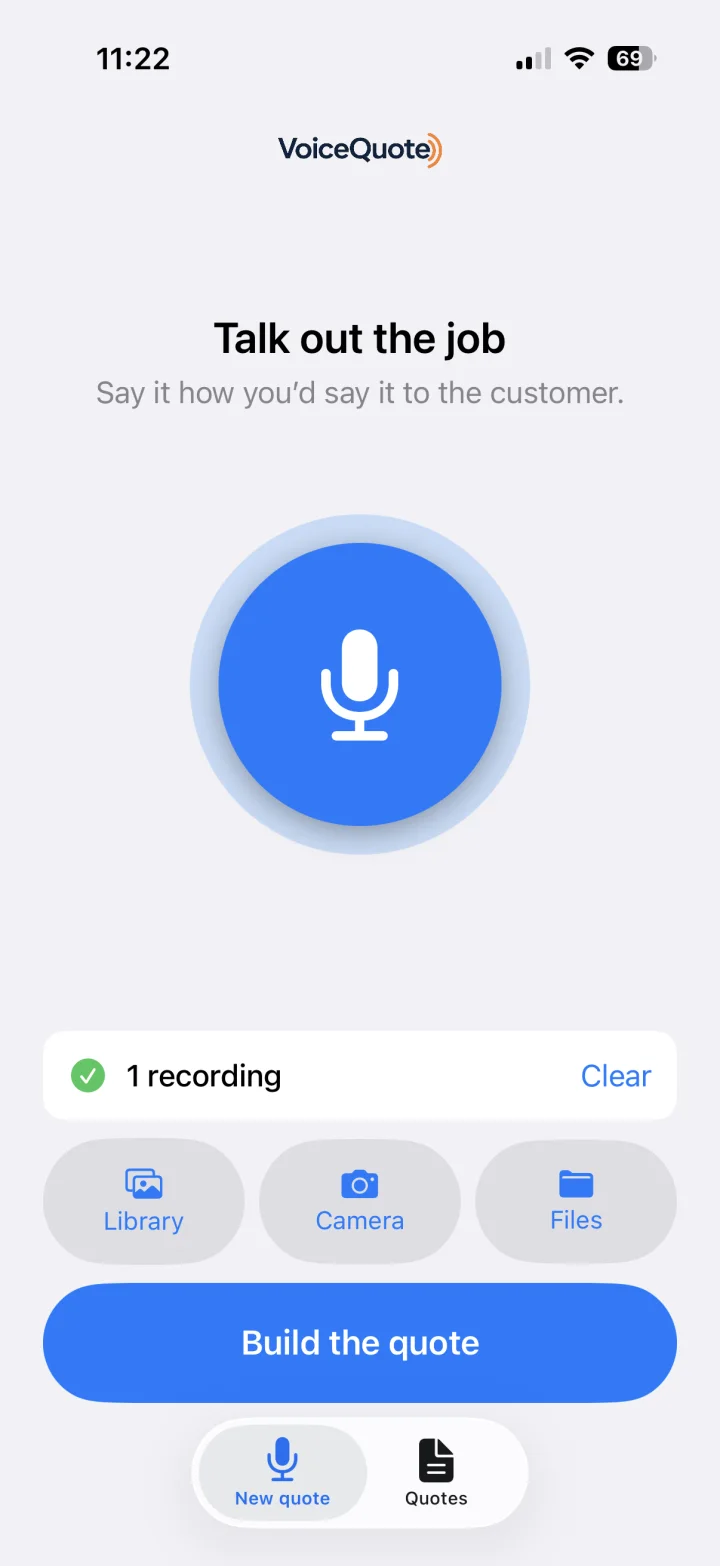
Describe the work out loud on site — add photos or a file if it helps.
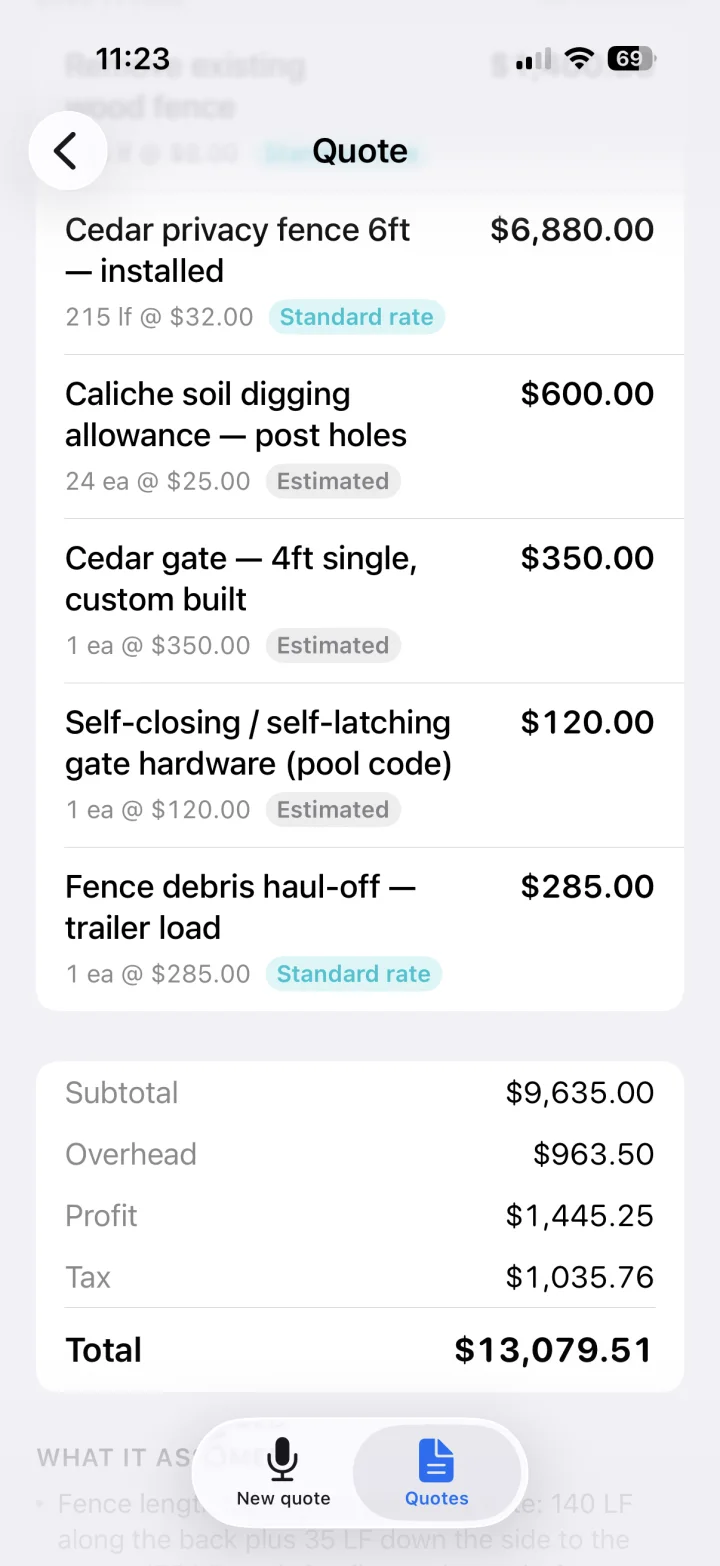
Every line is tagged “standard rate” or “estimated”, so you can see which numbers came from your rate book and which it worked out itself.
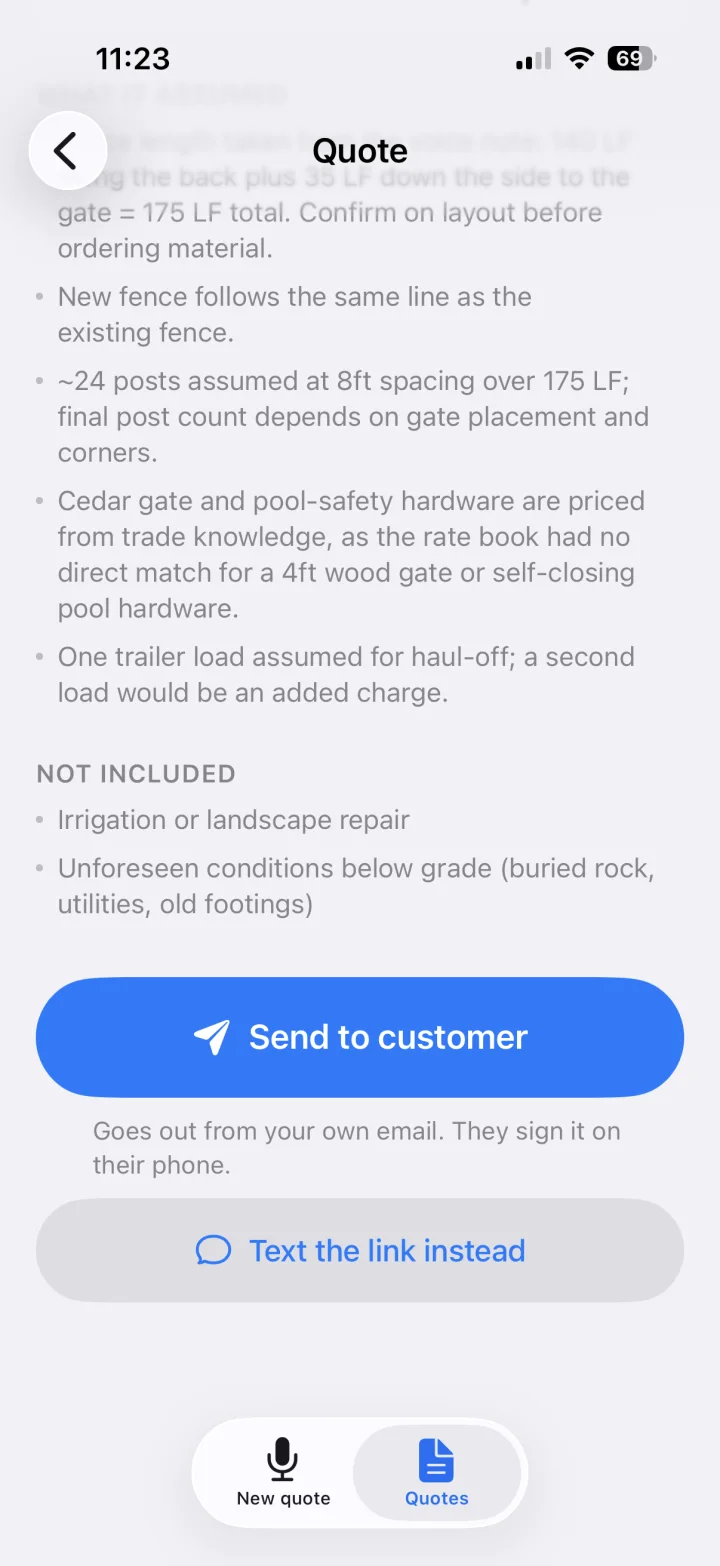
What it assumed and what it left out, written down — then it goes from your own email and they sign on their phone.
Straight answers
Is there a limit on how many quotes I can send?
No. Quotes are unlimited — no monthly cap, no per-quote charge, and no credits that expire at the end of the month. Your busiest week is exactly when this has to work, so there is nothing to run out of.
Does a revision count as a new quote?
Nothing counts, because nothing is counted. Edit, revise and re-send as often as the job needs.
Does it just make up prices?
It prices from your rate book first and tells you when it had to estimate something itself, so you can see which numbers came from where. Nothing goes to a client until you have looked at it — every quote lands on a review screen you can edit.
Do I need to connect my email?
No. If you connect Gmail or Outlook the quote goes out from your own address, which is better. If you do not, we send it under your company name with replies pointed back at you — or you can just copy the link and text it.
Can my client pay by card?
Yes. Every invoice carries a Pay button; your client pays by card or bank transfer and the money lands in your own Stripe account on its payout schedule. Stripe's card fee comes out of your account, the same as any card reader. On Starter, payments your clients make through VoiceQuote carry a 1.5% fee, and your whole bill (plan plus fees) never passes $149 a month. Pro has no fee. There is nothing else to pay.
Does it work with QuickBooks?
Yes — QuickBooks Online, on Starter and Pro. Connect it once from Setup. Every invoice you send shows up under the right customer, a card payment on that invoice is recorded against it, and a payment your bookkeeper enters in QuickBooks marks the invoice paid in VoiceQuote. It reads your books too: ask OSQR "who owes me money?" and it names the open invoices, the amounts and how overdue they are. Nothing is written to your books until you send an invoice or get paid.
Do I need an OSQR plan as well?
No. VoiceQuote is $39 a month on Starter or $149 on Pro, on its own, on top of whatever plan you are on — including the free one, with no setup fee. On Starter, payments your clients make through VoiceQuote carry a 1.5% fee, and your whole bill (plan plus fees) never passes $149 a month. Pro has no fee. There is nothing else to pay.
Can I cancel?
Any time, from your billing settings. You keep every quote you have already made.
Rather talk to someone first?
You can start on your own above. If you would rather ask a few questions, or you run a crew and want a hand setting it up, tell us what you build.
VoiceQuote is built on OSQR.